
JSON2Video Alternatives: 5 Video APIs That Render From JSON
JSON2Video is a solid product — that's why so many people search for it by name. But its pricing model, template system or integration options don't fit every project. If you're comparing before you commit, or you've hit a wall with your current setup, here are the real alternatives that do the same core job: you send structured JSON, you get back a rendered MP4.
Full disclosure up front: SamAutomation is our own product and it's on this list. We'll tell you where the others are a better fit, because they sometimes are.
What JSON2Video actually does (and what you're replacing)
JSON2Video renders videos from a JSON payload against templates. At the time of writing, its own site lists a free plan with 600 credits and paid plans starting at $49.95/month. It integrates with Make and has a template library aimed at social formats.
So any real alternative needs to cover three things:
- A JSON payload in, an MP4 out — no browser, no manual editor.
- Templates or scenes you can reuse with variable text, media and data.
- A way to plug into your stack — REST at minimum, ideally n8n, Make or Zapier modules.
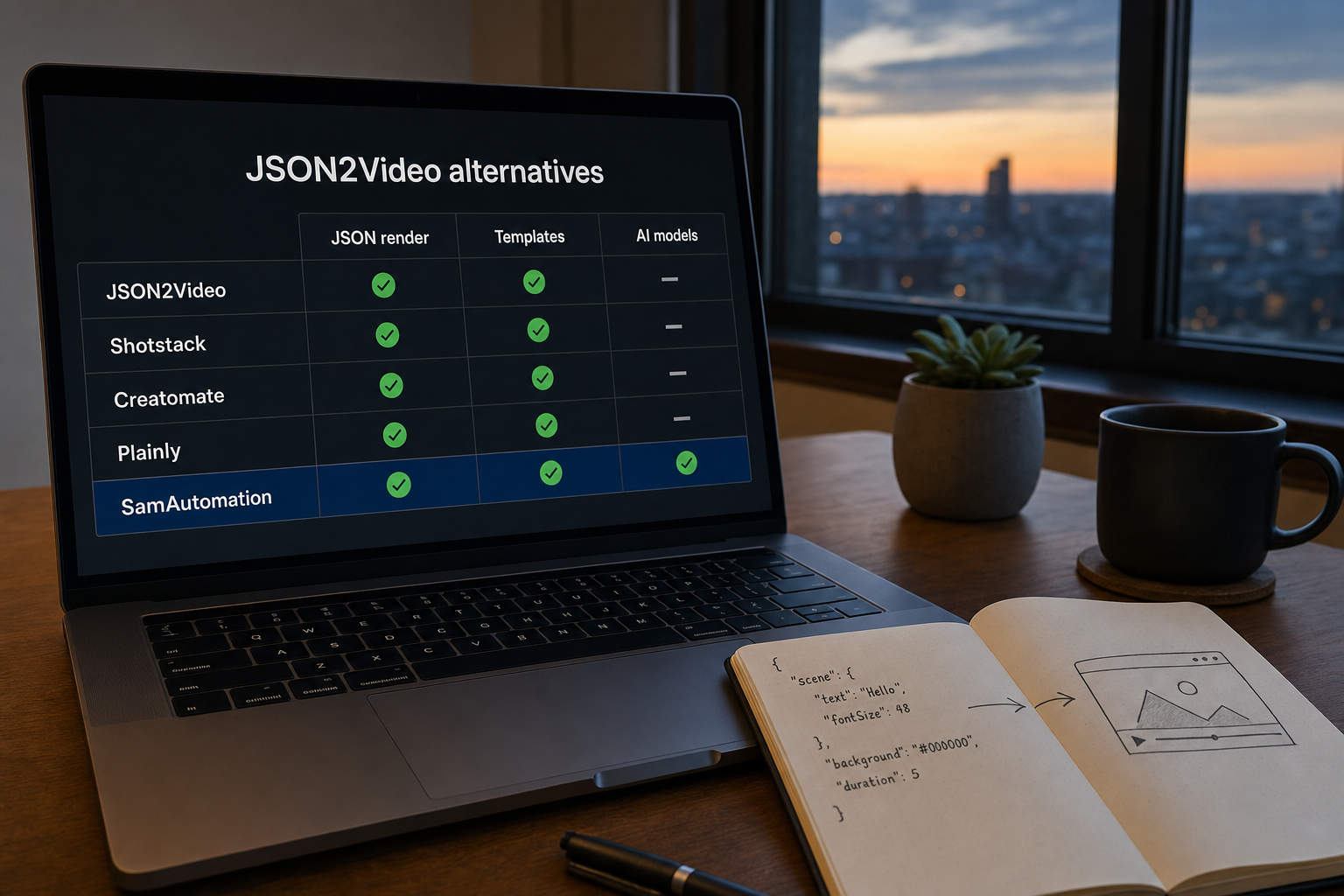
The alternatives, compared
| API | Rendering model | Integrations | Standout |
|---|---|---|---|
| Shotstack | JSON edit timeline, cloud render | REST, SDKs | The most editor-like JSON timeline |
| Creatomate | Templates + structured JSON instructions | REST, no-code connectors | Strong template editor |
| Plainly | Template-based renders from data | REST | Built around batch/data-driven videos |
| SamAutomation | JSON scenes + AI generation in one API | REST, n8n, Make | AI video/image models and captions behind the same key |
| DIY (FFmpeg) | Your own render farm | Anything you build | Total control, total maintenance |
Shotstack
Shotstack treats video like a JSON timeline: tracks, clips, transitions, text. If you think in editing terms — "this clip starts at 3.2 seconds" — it's the most natural fit of the bunch. You'll write more JSON per video than with template-first tools, which is either flexibility or overhead depending on your use case.
Creatomate
Creatomate pairs a visual template editor with a render API: design once, then send structured instructions that fill in the variables. Good middle ground when a designer builds the template and a developer automates it. Its docs lean on practical examples, which makes the first integration quick.
Plainly
Plainly aims at data-driven batch work: one template, many rows of data, many videos. If your job looks like "render 500 personalized clips from a spreadsheet", that focus shows. For one-off dynamic videos it's more setup than you need.
SamAutomation
Our angle is different: the JSON-to-video renderer and AI generation live behind the same API key. You can render template scenes from JSON, call AI video and image models through one endpoint, and burn in subtitles with AutoCaptions — without stitching three vendors together. There are ready-made n8n and Make workflows, and you can start free without a card and render your first video from the JSON-to-video docs.
Where we're not the best fit: if you need a pixel-precise editing timeline, Shotstack's model is stronger. If your team designs in a visual editor first, look at Creatomate.
The build-it-yourself route
FFmpeg plus a queue plus storage plus retry logic. It works — we know, because that's roughly what every video API is under the hood. Budget for the maintenance, not just the build: font rendering, codec edge cases and scaling render workers is where the time actually goes. Worth it above serious volume or with hard privacy requirements; below that, an API is cheaper than your hours.
How to choose in five minutes
- You want editing-level control per video → Shotstack.
- A designer makes templates, a developer fills them → Creatomate.
- Batch renders from rows of data → Plainly.
- JSON rendering plus AI models and captions in one key → SamAutomation.
- Massive volume, in-house team, strict privacy → build on FFmpeg.
Migrating is less work than it looks: every tool on this list takes structured JSON, so the logic you wrote for one maps onto the next. The template definitions are the part you'll rebuild — budget an afternoon per template, not a rewrite.
Want to see whether ours fits before you spend that afternoon? The JSON-to-video guide has a complete payload you can copy, and the free tier is enough to render real test videos.
Questions people ask
What does json2video actually do?
Renders a video from a JSON description: scenes, elements, timing, text and audio in, MP4 out. Any alternative has to do the same thing, so compare on reliability and price rather than on the concept.
What should I compare alternatives on?
Render queue behaviour under load, webhook support, how failures are reported, template reuse, and the price at your real monthly volume. Feature checklists all look identical in this category.
Is there a free JSON-to-video API?
Free tiers exist and are capped by minutes, watermarks or resolution. They are enough to prove the integration works, which is what a free tier is for.
How hard is it to migrate between them?
The payload schema is the migration. If your code builds the JSON in one place, swapping providers is rewriting that one builder. If the JSON is scattered through your app, it is a project.
Related articles

JSON to Video Developer Guide: Schema, Payloads and Examples
JSON to Video developer guide for schema, payloads, scenes, elements, animations and API examples i…
Read more →
How to Create Personalized Videos at Scale with JSON Templates
Learn how to create thousands of personalized videos using JSON templates and API automation. E-com…
Read more →
7 CapCut API Alternatives for 2026 (Docs, Pricing Compared)
CapCut has no public rendering API — compare 7 real alternatives for 2026 on docs, pricing, n8n sup…
Read more →Build your first automated video
One API key for deterministic JSON-to-video plus AI video & image generation. Documented and ready for your pipeline.