
Quick answer
Quick Answer: Which AI Video Model Should You Use?
Choose Kling when you need fast, realistic social video output. Choose Sora when cinematic quality matters more than cost or render time. Choose Veo when consistency, brand control and repeatable scenes matter.
For automation, the best setup is usually not one model, but a model router inside an AI video API workflow that also connects to JSON-to-Video, AutoCaptions, n8n setup and pricing before you commit production volume.
AI Video Generation Models Compared: Kling 3.0 vs Sora 2 vs Veo 3.1 in 2026
Twelve months ago, AI video generation was a novelty — impressive demos, unusable output. In 2026, these models produce content that audiences actually watch, share, and engage with. But choosing between them? That's where most people get stuck.
We run 29+ AI video models through the SamAutomation platform daily. Here's what each one actually delivers when the marketing hype is stripped away.
The Current Landscape
AI video generation has split into two distinct categories:
Text-to-Video: You describe what you want, the model generates it from scratch. Think "a golden retriever surfing at sunset in slow motion."
Image-to-Video: You provide a starting frame, the model animates it. More predictable, more controllable, and generally higher quality for specific use cases.
Most production workflows use a combination of both, depending on the scene.
Model-by-Model Breakdown
Kling 3.0 (Kuaishou)
Kling has quietly become the workhorse of AI video generation. Version 3.0 closed the quality gap with Western competitors while maintaining faster generation times.
What it does well: - Human motion and facial expressions — the most natural-looking people of any model - Consistent character appearance across multiple generations - Fast generation: 15-30 seconds for a 5-second clip at 720p - Strong understanding of physics (objects fall, water flows, fabric moves naturally)
Where it struggles: - Text rendering in videos is still unreliable - Complex multi-character scenes occasionally produce merged or distorted figures - Prompt adherence drops for very specific technical descriptions
Best for: Social media content featuring people, product demonstrations, and lifestyle footage.
Credit cost on SamAutomation: ~50 credits per 5-second clip (720p)
Sora 2 (OpenAI)
The most hyped model in the AI video space. Sora 2 lives up to roughly 70% of its marketing — which, given the hype, is actually impressive.
What it does well: - Cinematic quality — the output genuinely looks like it was shot with professional equipment - Complex scene compositions with multiple elements interacting naturally - Excellent camera movement simulation (tracking shots, dolly zooms, pans) - Strong artistic style control (you can specify "shot on 35mm film" and it delivers)
Where it struggles: - Generation times are the longest of any major model (45-90 seconds per clip) - Expensive per-generation compared to alternatives - Occasional "AI tells" — hands, reflections, and fine text still fail - Limited availability during peak demand
Best for: High-end marketing content, cinematic intros, and brand videos where quality matters more than speed.
Credit cost on SamAutomation: ~120 credits per 5-second clip (1080p)
Veo 3.1 (Google DeepMind)
Google's entry emphasizes consistency and controllability over raw visual spectacle.
What it does well: - Most consistent style across multiple generations — crucial for series content - Excellent at maintaining brand colors and visual identity - Strong text rendering compared to competitors - Good balance of quality vs. generation speed
Where it struggles: - Motion can feel slightly "floaty" compared to Kling's physics - Less cinematic than Sora 2 for dramatic scenes - Occasional color banding in gradients and sky backgrounds
Best for: Brand content that requires visual consistency, educational videos, and data visualization animations.
Credit cost on SamAutomation: ~80 credits per 5-second clip (1080p)
Pixverse V4.5
The underdog that keeps improving. Pixverse doesn't get the headlines, but it's a strong option for specific use cases.
What it does well: - Stylized and animated content — better than any other model for cartoon/anime styles - Fast generation times (10-20 seconds) - Lowest credit cost per generation - Creative transitions and effects that other models can't produce
Where it struggles: - Photorealistic content is noticeably below Kling and Sora - Limited resolution options - Smaller community means fewer prompt optimization guides
Best for: Kids content, animated explainers, social media stories with artistic styles.
Credit cost on SamAutomation: ~30 credits per 5-second clip (720p)
Hailuo (MiniMax)
MiniMax's Hailuo model has carved a niche in character-consistent content.
What it does well: - Character consistency across scenes — tell a story with the same "character" appearing in multiple clips - Natural dialogue lip-sync (when paired with audio) - Good at following reference images for style matching
Where it struggles: - Background detail is lower than top-tier models - Limited prompt length compared to Sora and Veo - Availability can be inconsistent during peak hours
Best for: Story-driven content, character-based social media series, and avatar-style videos.
Credit cost on SamAutomation: ~60 credits per 5-second clip (720p)
Head-to-Head Comparison Table
| Feature | Kling 3.0 | Sora 2 | Veo 3.1 | Pixverse V4.5 | Hailuo |
|---|---|---|---|---|---|
| Quality (1-10) | 8.5 | 9.5 | 8 | 7 | 7.5 |
| Speed (1-10) | 8 | 4 | 7 | 9 | 6 |
| Cost Efficiency | High | Low | Medium | Highest | Medium |
| People/Faces | Excellent | Great | Good | Fair | Great |
| Physics | Great | Excellent | Good | Fair | Good |
| Style Control | Good | Excellent | Great | Excellent | Good |
| Text in Video | Fair | Fair | Good | Poor | Fair |
| Consistency | Great | Good | Excellent | Good | Excellent |
How to Choose: Decision Framework
Stop comparing spec sheets. Ask these three questions:
1. What's the content going to be used for?
- Social media shorts → Kling 3.0 (best quality-to-speed ratio)
- Brand marketing → Sora 2 (cinematic quality) or Veo 3.1 (consistency)
- Kids/animated content → Pixverse V4.5
- Story series → Hailuo (character consistency)
2. What's your volume?
High volume (50+ clips/day) → Kling 3.0 or Pixverse (fast, cost-effective) Low volume, high quality → Sora 2 (worth the extra cost and wait) Medium volume → Veo 3.1 (balanced approach)
3. Do you need consistency across clips?
If you're creating a series where the same "character" or visual style must appear in every episode, Veo 3.1 and Hailuo are your best bets. Sora 2 produces stunning individual clips but struggles with cross-generation consistency.
Using Multiple Models Together
The smartest approach isn't picking one model — it's using the right model for each scene.
A typical production workflow on SamAutomation:
- Hero shot: Sora 2 (maximum visual impact)
- Product demos: Kling 3.0 (realistic motion, fast turnaround)
- Transitions and effects: Pixverse V4.5 (stylized, cheap, fast)
- Talking head placeholders: Hailuo (consistent character)
- Brand overlays: Veo 3.1 (text rendering, brand colors)
Then combine everything using the JSON Video API to composite AI-generated clips with text, music, and auto-captions into a final video.
The BYOK Advantage
Every model has different pricing from their native API. On SamAutomation, you have two options:
- Use our credits — Simple, predictable pricing bundled with your subscription plan
- BYOK (Bring Your Own Key) — Connect your own API keys to access models at their native pricing, often cheaper for high-volume users
BYOK is particularly valuable for Sora 2 and Kling 3.0, where direct API pricing can be 30-40% lower than reseller rates at scale.
What's Coming Next
The AI video generation space moves fast. Based on public roadmaps and beta access:
- Kling 4.0 is expected in Q2 2026 with improved text rendering and longer clip durations
- Sora 3 is rumored for late 2026 with real-time generation capabilities
- Veo 4 will likely focus on audio-native generation (video + sound together)
We'll update this comparison as new models launch. In the meantime, explore all 29+ models through the SamAutomation AI API — you can test every model from a single account with no setup friction.
Kling vs Sora vs Veo, Runway, Luma and Seedance
There is no single best AI video model. Kling is a strong pick when camera movement and image-to-video control matter. Google Veo is often chosen for cinematic prompt interpretation and work inside Google’s video tools. Sora suits creators who want OpenAI’s generation workflow, while Runway and Luma Dream Machine combine generation with practical creative tools. Seedance is another model family worth testing, especially when motion and prompt adherence matter.
| Comparison | What to test |
| Kling 3.0 vs Sora 2 | Motion, camera control, character consistency and usable output per attempt |
| Veo 3.1 vs Kling 3.0 | Prompt accuracy, audio options, shot continuity and automation access |
| Runway AI vs Sora | Generation quality plus editing, iteration and production workflow |
| Luma AI vs Sora | Speed, natural movement, image-to-video quality and controls |
| Kling 3.0 vs Seedance | Complex motion, visual consistency and prompt adherence |
| Seedance 2 vs Sora 2 | Shot composition, motion stability and repeatability |
| Sora 2 vs Grok Imagine | Prompt interpretation, style range and access restrictions |
Run the same prompt, reference image, aspect ratio and duration through each candidate. Compare complete clips, failed generations and the number of retries you needed. A polished demo selected by the provider is not a fair comparison.
You can inspect the available model families in the AI video model directory before building your test batch.
Kling model versions and generation controls
Kling AI includes text-to-video and image-to-video tools. The exact model names, availability and limits can differ between the official website, mobile app and API. Check the model selector or official release notes before calling any version the latest Kling AI video generation model.
Kling 3.0, Kling video 3.0 Omni, Kling image 3.0 Omni and a possible Kling 3.1 release date should be treated as separate claims. Omni labels usually indicate a broader input or editing workflow, but you should confirm the supported inputs on the live product page. Do not assume that Kling video 3.0 and Kling video 3.0 Omni expose identical controls.
Kling camera movement prompts work best when they name one clear move, such as a slow dolly-in, orbit or tracking shot. Add a subject action and scene constraint, then change one instruction per retry. This makes it easier to see which words caused the motion.
For a reusable request structure, start with the text-to-video workflow and prompt format.
Kling access, credits, codes and pricing
Use the Kling AI official website or its verified app listing. Create an account through the supported login flow and inspect the current plan page. Free access, trial credits, Kling AI free credits per day and Kling AI free credits per month can change by account, region and release.
Kling 3.0 pricing should be compared by what one completed clip costs you, not by the headline subscription price. Check whether the plan charges per credit, generation, duration, resolution, mode or retry. Rates change, and failed or extended jobs may follow different rules.
Only redeem a Kling AI gift code, discount code, referral code or referral link through an official redemption screen. A genuine code can still be expired, region-limited or tied to a campaign. There is no reliable universal Kling AI redeem code 2026.
A Kling AI free credits APK, code generator, code hack, free credits hack, premium account free offer or unlimited credits download is a security risk. It may steal your login or install unwanted software. Reddit posts can help you find current user reports, but they do not prove that a code, APK or referral offer is safe.
Official access, API use and automation
For Kling AI API access, start with Kling’s official developer or business documentation. Confirm that your account has API access, create credentials inside the official dashboard and keep the secret on your server. If no API option appears, do not scrape the consumer interface and call it an API.
Google Flow is a filmmaking interface that can provide access to Veo models; it is not simply another name for Veo 3. Google Veo is the model family. Flow is a product in which models and creative controls can be combined. Model availability and settings can change between releases.
Veo automation should use an official API or supported integration where one exists. Search results for Veo automation are full of browser extensions, Android builds and APK downloads with Veo in the name. None of those are an official Google product; they are third parties riding the brand. Review the publisher, source code, requested permissions and account risk before installing anything.
A Flow automation extension that promises Auto Veo on Google Flow, bulk Veo 3 or Nano Banana generation may automate browser actions. That can break when the interface changes and may conflict with service rules. Never give an unknown extension broad access to your Google account.
For a workflow you control, see the AI video API integration guide and pass the completed assets into a JSON-to-video rendering pipeline.
Choosing a model for real production work
The best AI video model right now is the one that completes your specific shot with the least manual repair. Test subject consistency, camera control, text rendering, audio, duration, resolution, queue behavior, API access and commercial-use terms. New AI video models can lead one category and still fail badly in another.
For a faceless YouTube channel, generation quality is only one part of the system. You also need a repeatable script, shot list, voice track, captions, render template and publishing review. A model that produces predictable clips may be more useful than one that occasionally produces a spectacular shot.
Kling AI image generator and Kling AI image-to-video can fit workflows that begin with a controlled reference frame. Text-to-video is faster for exploration. Image-to-video is usually easier when the character, product or composition must stay recognizable.
Do not choose from a Kling 3.0 review, YouTube comparison or Reddit thread alone. Check the upload date, exact model version, settings and whether failed attempts were shown. “Free” comparisons can also be distorted by lower resolution, slower queues or restricted modes.
A repeatable comparison and release-check method
Create one fixed test pack: a human action, a moving camera, a product shot, a difficult interaction and an image-to-video prompt. Run it through Sora 2, Kling, Veo 3, Runway ML, Luma Dream Machine and Seedance when those models are available to you. Keep the prompt and source image unchanged.
- Record the exact model name shown in the interface.
- Save the settings, generation date and original output.
- Count retries and note visible failures.
- Compare usable output, not the provider’s showcase clips.
- Recheck official release notes before publishing a “latest” claim.
For newest AI models available, release dates and claims such as “what has replaced Sora 2,” use first-party product pages and release notes. Search results containing “official download,” “official YouTube” or a future version number can point to copied pages, predictions or unofficial uploads.
Questions people ask
Is Kling AI better than Veo?
Kling can be the better choice for controlled camera movement and image-to-video work. Veo may fit cinematic prompting, audio-enabled workflows or Google’s creative tools better. Test the same shots in both because neither wins every type of video.
Is Sora or Kling better?
Kling is often worth testing first when motion controls and reference images matter. Sora may suit you better when its prompt workflow, output style or OpenAI access fits your production setup. Compare retries and usable clips, not one selected result.
Is Sora AI better than Veo?
Sora is not automatically better than Veo, and Veo is not automatically better than Sora. Compare the exact versions available to you on prompt accuracy, motion, audio, consistency, access and total cost per usable clip.
Is Runway AI better than Sora?
Runway can be better when you need generation and editing tools in one production workflow. Sora may produce the result you prefer for a specific prompt. Run the same source material through both and include failed attempts in the comparison.
Which AI is best at video generation?
There is no fixed winner. Kling, Sora, Google Veo, Runway, Luma Dream Machine and Seedance have different strengths. The best model is the one that handles your shot type, controls and delivery workflow with the fewest repairs.
What is the latest model of Kling AI?
Check the model selector and release notes on the Kling AI official website. Model names and access can differ between the web app, mobile app and API, so an old review or download page is not reliable proof of the newest version.
How can I access Kling AI for free?
Create an account through the official Kling AI website or verified app and check the current free allowance. Availability, queues and free credits can vary by account or region. Avoid modified APK files and shared premium accounts.
How can I get Kling AI credits for free?
Use only official trial credits, account allowances, referral campaigns or gift-code promotions shown by Kling. There is no guaranteed amount of free credits per day or month. Never provide your login to a credit generator or hack.
Can I redeem my Kling AI code for free?
You can redeem a valid code only through Kling’s official redemption flow. The code may have an expiry date, region limit or account requirement. A code posted on Reddit is not automatically valid or safe.
How do I get the Kling AI API?
Look for official API access in Kling’s developer documentation or account dashboard. Create server-side credentials if your account is eligible and follow the current usage rules. Do not expose the API secret in browser code.
Is Google Flow the same as Veo 3?
No. Veo is Google’s video-model family, while Flow is a filmmaking product that can use supported models and creative tools. The models and controls available inside Flow may change.
Is Kling AI restricted?
Access, features, content rules and plan limits can vary by region and account. Check the current official terms before committing a production workflow. A feature shown in a review may not be enabled for your account.
What are the key differences between Kling video 3.0 and Kling video 3.0 Omni?
Do not assume they are interchangeable. Compare their supported inputs, editing controls, duration, resolution and API availability in the official model selector or documentation. The Omni label alone does not prove which features your account receives.
What is the best AI video generator for a faceless YouTube channel?
Pick the model that produces repeatable shots in your chosen style and can fit your script, voice, caption and rendering workflow. Kling, Sora, Veo, Runway, Luma and Seedance are candidates, but reliable output and automation matter more than a single impressive clip.
Where does Veo 3 fit in this comparison?
Veo 3 is the generation before 3.1 and still turns up in comparisons and tutorials. Treat any ranking that names a specific version as dated: the useful question is whether your pipeline can swap the model without a rewrite.
Related articles
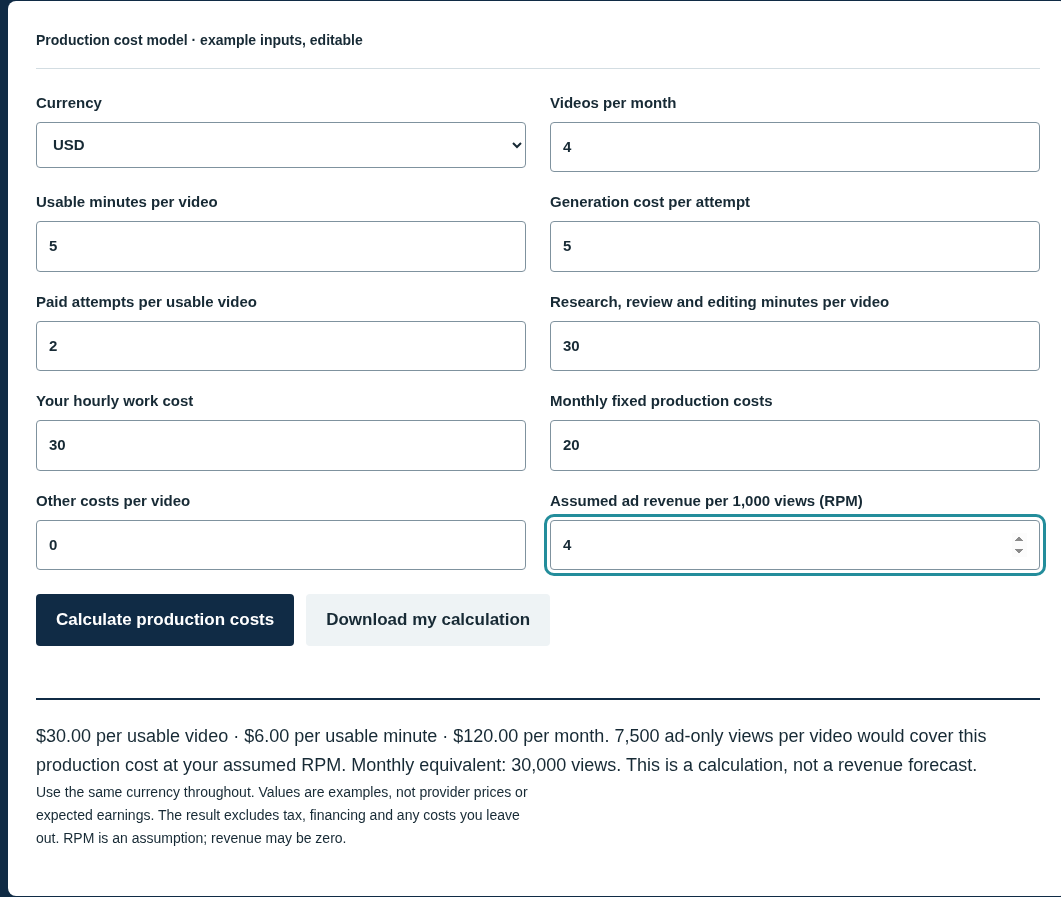
Faceless YouTube: costs and break-even
Calculate faceless YouTube production costs, retries and editing time. Estimate ad-only break-even …
Read more →
Content Repurposing with AI: Turn One Blog Post into 50 Videos
Learn how to repurpose a single blog post into 50+ unique videos using AI and automation. Practical…
Read more →
How to Build an Automated TikTok Content Pipeline with n8n and AI
Step-by-step guide to building an automated TikTok content pipeline using n8n, AI video generation,…
Read more →Build your first automated video
One API key for deterministic JSON-to-video plus AI video & image generation. Documented and ready for your pipeline.