Workflow JSON
The downloadable n8n workflow file is attached to this template.
Marketplace / Brand-Guided 9:16 Visual Factory
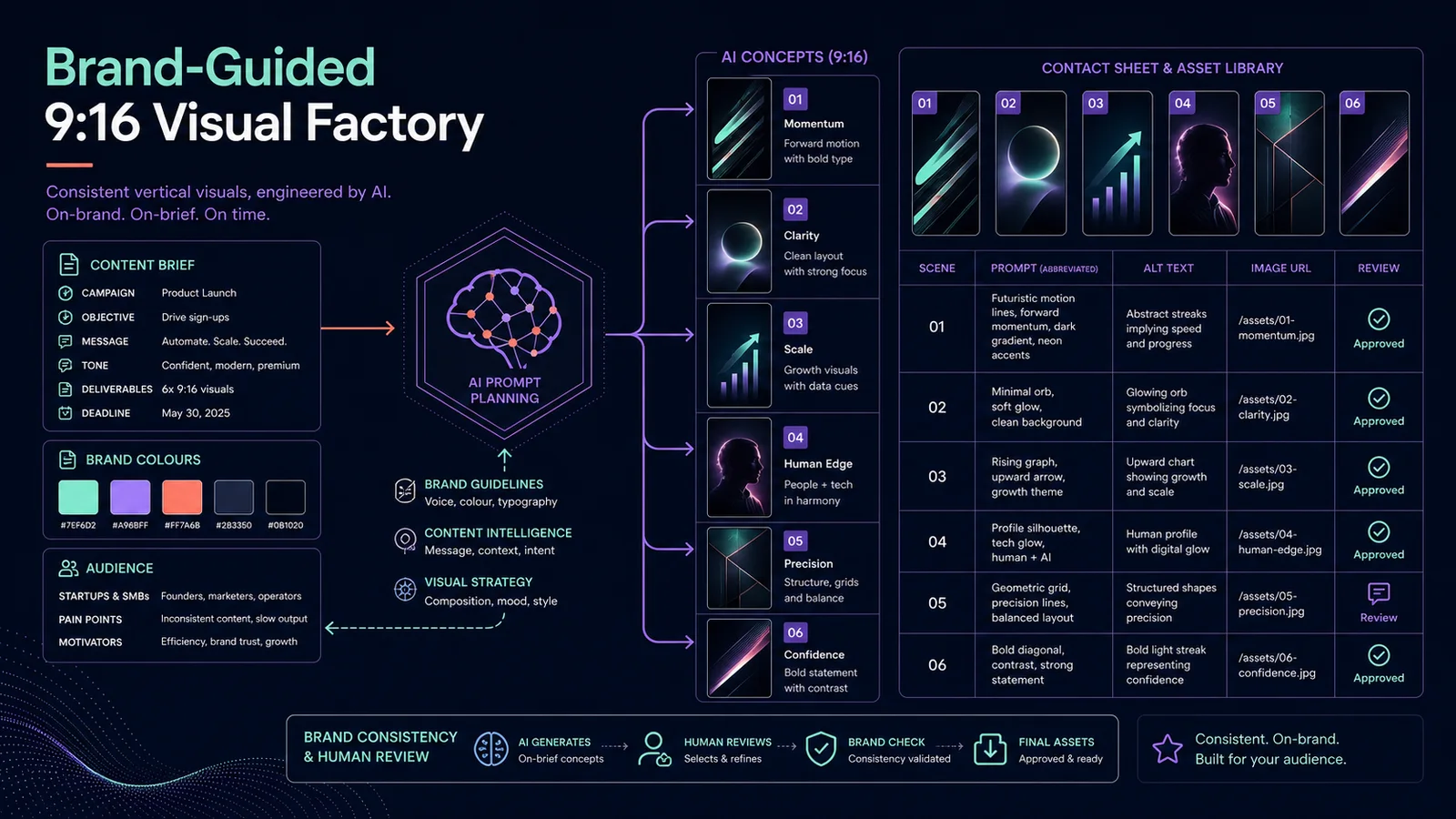
Turn one content brief and a set of brand rules into exactly 3–6 vertical visual concepts. The 11-node workflow validates the requested batch size, creates a structured concept plan, renders each 9:16 image through fal.ai and writes the concept, prompt, alt text, output URL and status to Google Sheets for review.
Import readiness
The downloadable n8n workflow file is attached to this template.
Required APIs, credentials and services are listed on this page.
Setup instructions are included below so you can estimate implementation time before buying.
Best when you want the same researched process to run consistently without rebuilding the node chain for every job.
1. Import the workflow JSON into n8n.
2. Add your OpenAI credential to Create visual plan.
3. Add a fal.ai HTTP Header Auth credential to Render 9:16 visual and Get rendered visual. Confirm that the configured model endpoint is available in your account before activation.
4. Create a Google Sheet for the review rows, replace YOUR_GOOGLE_SHEET_ID and map the concept, purpose, prompt, alt text, output URL and status columns.
5. Publish the form and run the first test with three visuals, a specific audience and concrete brand rules for colour, composition, typography and exclusions.
6. Confirm that exactly three concepts are planned, all jobs reach a final state and every row is written to the sheet.
7. Test the upper limit with six visuals before scheduling repeat runs.
8. Review every output for brand fit, text accuracy, rights, likeness and channel-specific AI disclosure. Generated images are not automatically cleared for advertising or Merchant Center use.