Workflow JSON
The downloadable n8n workflow file is attached to this template.
Marketplace / WhatsApp Product Catalogue AI Sales Agent
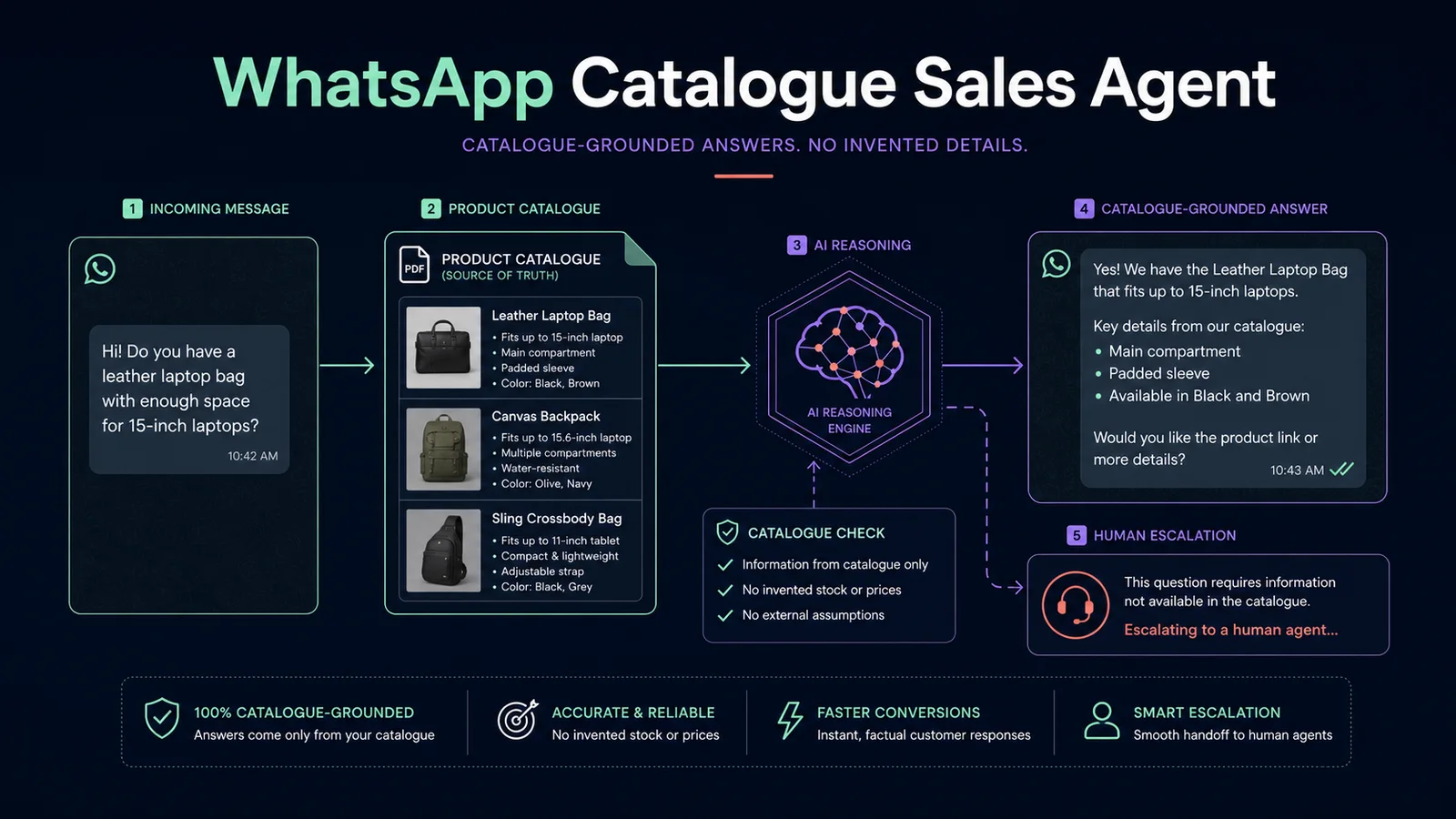
Answer WhatsApp product questions from one approved PDF catalogue instead of an open-ended AI memory. This 11-node workflow downloads the current catalogue for every text request, extracts the product information, returns a concise answer and routes uncertain, unsupported or failed requests to a safe human fallback.
Import readiness
The downloadable n8n workflow file is attached to this template.
Required APIs, credentials and services are listed on this page.
Setup instructions are included below so you can estimate implementation time before buying.
Best when you want the same researched process to run consistently without rebuilding the node chain for every job.
1. Import the workflow JSON into n8n.
2. Add your WhatsApp Business Cloud credential to the trigger and both send-message nodes. Replace YOUR_WHATSAPP_PHONE_NUMBER_ID in both send-message nodes.
3. Replace YOUR_PUBLIC_CATALOGUE_PDF_URL with a direct HTTPS link to a concise, machine-readable PDF. Do not use a private price list or a PDF containing data customers may not receive.
4. Add your OpenAI credential to Answer from catalogue only.
5. Send one ordinary text question, one question whose answer is absent from the catalogue and one non-text message. Confirm that only catalogue facts are returned and the other cases receive the fallback.
6. Disconnect or disable any duplicate WhatsApp webhook before activation.
7. Keep the public catalogue current and make sure a human monitors escalated conversations. This workflow deliberately does not invent product facts or create CRM tickets automatically.