Workflow JSON
The downloadable n8n workflow file is attached to this template.
Marketplace / AI Prompt-to-Image Generator
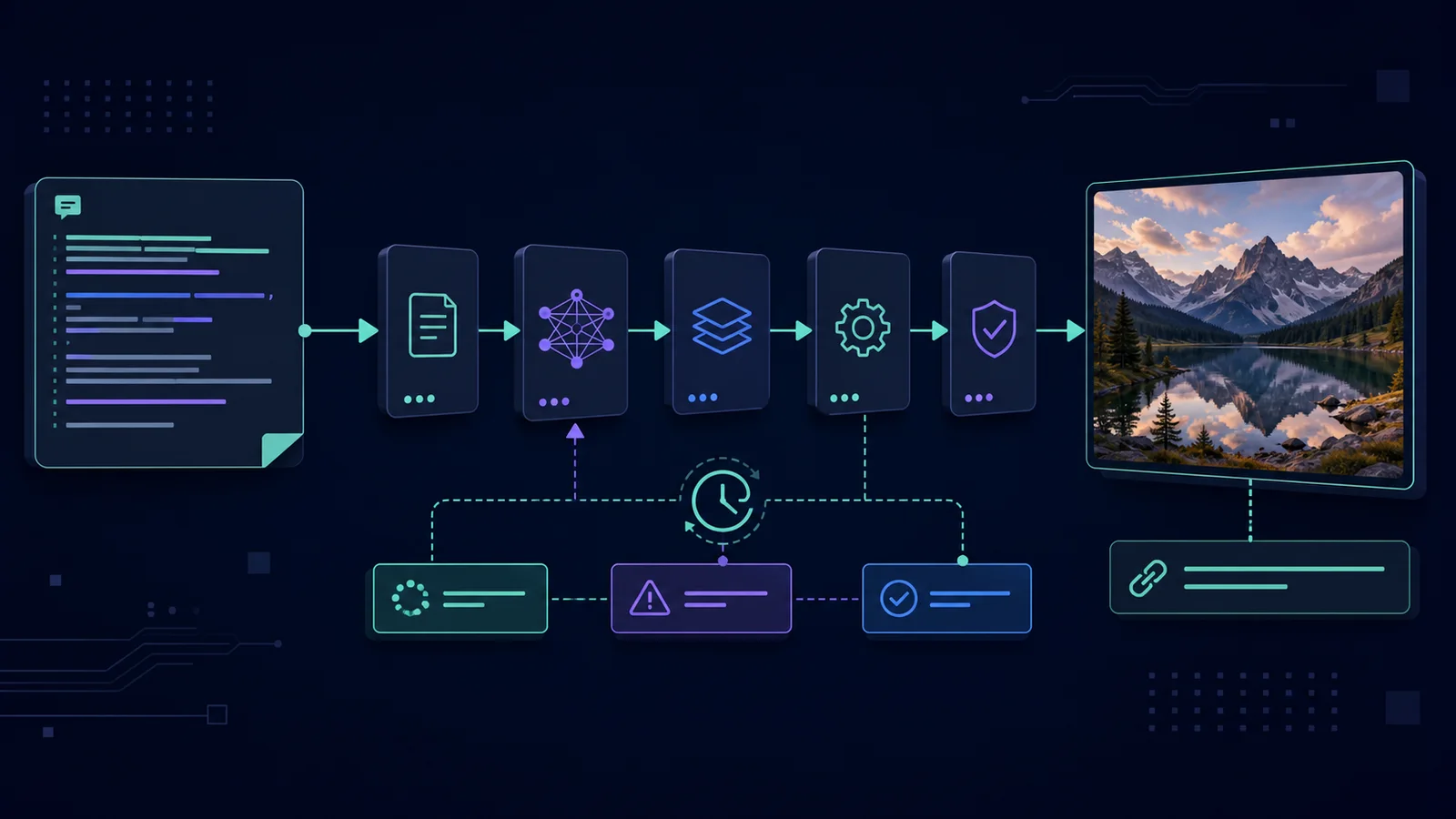
Submit a prompt and aspect ratio through an n8n form, create a Google Imagen 3 prediction on Replicate and receive the final image URL after a controlled polling loop. The 11-node workflow separates successful, failed and still-processing responses.
Import readiness
The downloadable n8n workflow file is attached to this template.
Required APIs, credentials and services are listed on this page.
Setup instructions are included below so you can estimate implementation time before buying.
Best when you want the same researched process to run consistently without rebuilding the node chain for every job.
1. Import the workflow JSON into n8n.
2. Create an n8n HTTP Header Auth credential with your Replicate API token and attach it to Create image prediction and Get prediction status.
3. Open Create image prediction and confirm the configured model/version is available in your Replicate account. Replace it if Replicate has retired that version.
4. Publish the form and submit a short prompt with the default aspect ratio.
5. Inspect the prediction ID, wait step and status response. Increase the wait only when the selected model consistently needs longer.
6. Confirm that completed jobs return an image URL and failed jobs expose the provider error.
7. Review the image for rights, likeness, brand and platform requirements. This workflow does not add disclosure metadata automatically.