Marketplace  /  YouTube to Multichannel AI Content

YouTube to Multichannel AI Content

YouTube

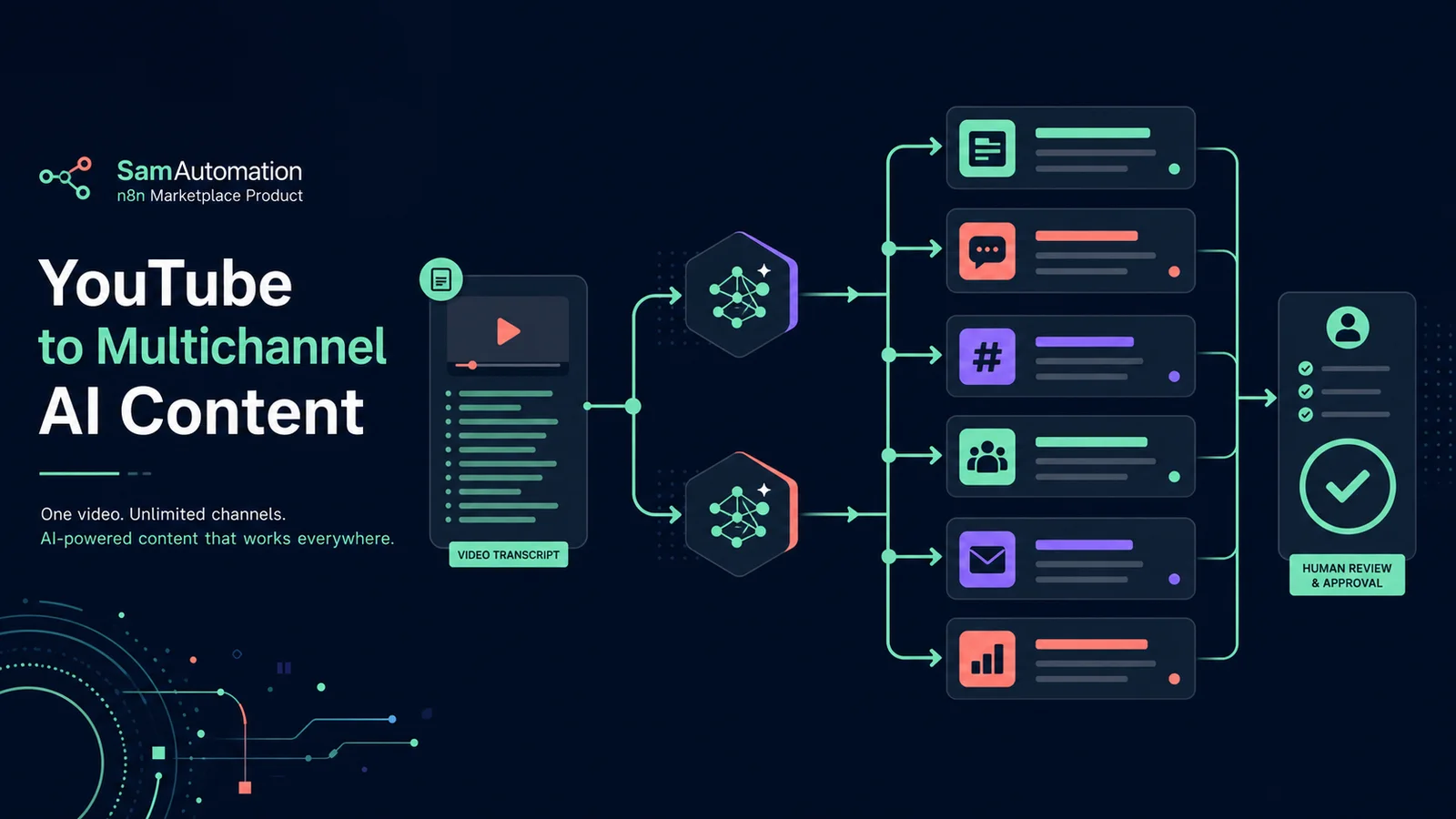
Submit one public YouTube video and receive a structured content package for LinkedIn, Instagram, X, Facebook, email and sales use. The workflow extracts the transcript, runs two focused AI branches and keeps publishing as a deliberate human review step.
Workflow JSON included Setup steps included API requirements listed One-time purchase
YouTube transcript workflow producing reviewed drafts for social channels, email and sales
€29.95One-time purchase or included with annual, Ultimate + LTD
Free account required for purchase Or get every template for life from €149.95 →

Import readiness

What to verify before using this n8n template

# workflow file
✓ included — n8n workflow JSON attached to this template
# required accounts
✓ listed — see required APIs & services below
# setup instructions
✓ included — full steps below to estimate effort

Workflow JSON

The downloadable n8n workflow file is attached to this template.

Required accounts

Required APIs, credentials and services are listed on this page.

Setup effort

Setup instructions are included below so you can estimate implementation time before buying.

Workflow fit

Best when you want the same researched process to run consistently without rebuilding the node chain for every job.

Key features

  • Simple n8n form for the YouTube URL, audience and call to action
  • Fetches available captions through Apify and normalises the transcript
  • Creates separate drafts for LinkedIn, Instagram, X and Facebook
  • Creates an email subject, newsletter, key takeaways and sales angles
  • Prompts prohibit invented statistics and keep claims tied to the transcript
  • Returns one structured JSON package without auto-posting unreviewed copy

Setup instructions

1. Import the workflow JSON into n8n.

2. Replace YOUR_APIFY_TOKEN in Fetch video transcript.

3. Add an OpenAI credential to Create social channel drafts and Create newsletter and sales brief.

4. Open the form trigger and publish its test URL. Submit a public YouTube URL, the intended audience and the exact CTA.

5. If the workflow reports that no transcript was returned, confirm the video is public and captions are available.

6. Inspect Final content package. Check names, claims, links, character limits and tone before copying drafts into a publishing tool.

7. Keep the final review manual unless you add channel-specific approval and error handling for every publishing destination.

Perfect for

  • Content marketers
  • YouTube creators
  • B2B founders
  • Agencies repurposing client videos

Requirements

  • Self-hosted or cloud n8n
  • Apify account and API token
  • OpenAI API credential
  • A public YouTube video with usable captions
  • Human editorial review before publishing generated copy

Account required

You need a free account to purchase this template. Registration only takes a minute.